FHL 2026 Project Showcase

Catch the invisible
before it ships.

Accessibility Tree Snapshot & Diff for React Native Windows

Real Gallery · Real UIA · Real regression

Built end-to-end during FHL: implementation, tests, hardening, live validation, and demo.

Presented by Anukrati Agrawal + AI

The problem

Accessibility regressions are often invisible.

A UI can look pixel-perfect while becoming unusable to keyboard and screen-reader users.
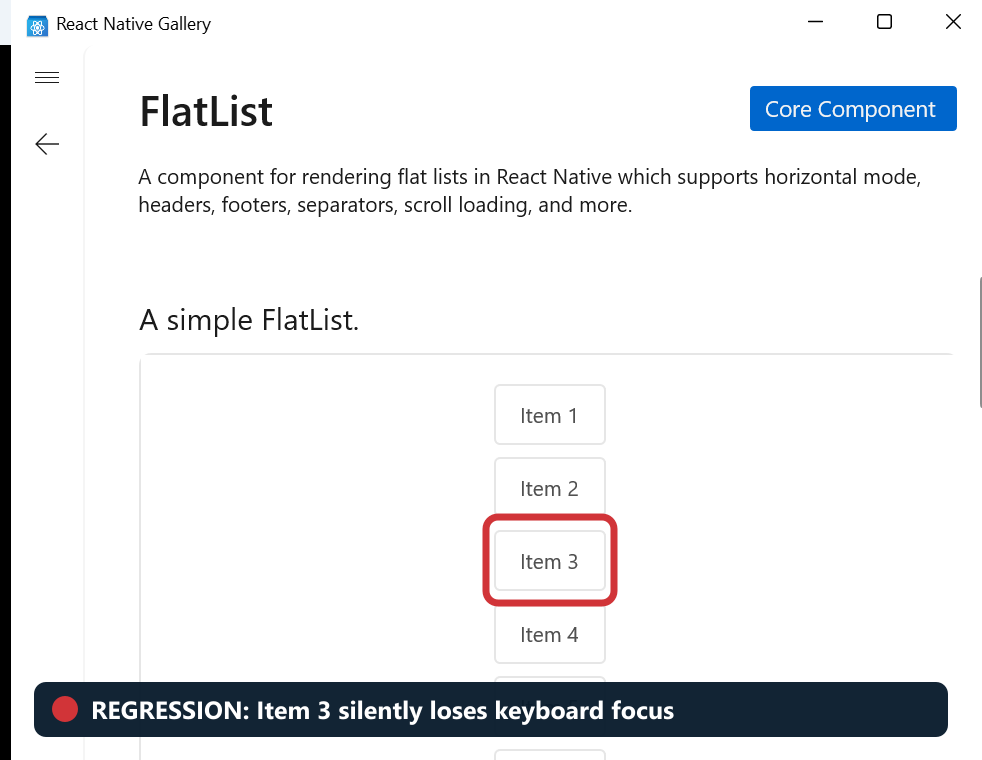
Healthy build
Item 3 is keyboard focusable.
They look
the same.
Broken build
Item 3 silently loses focusability.
The FHL project

A before-and-after detector for what assistive technology sees.

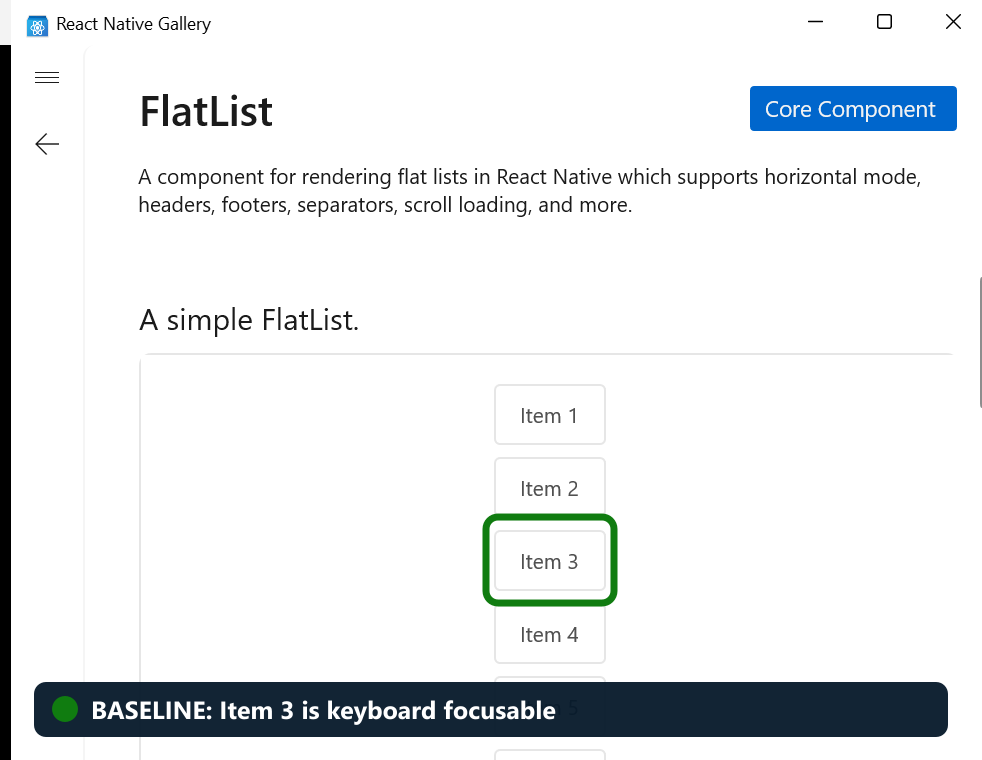
Capture two UI Automation trees, compare them deterministically, and fail when semantics regress.
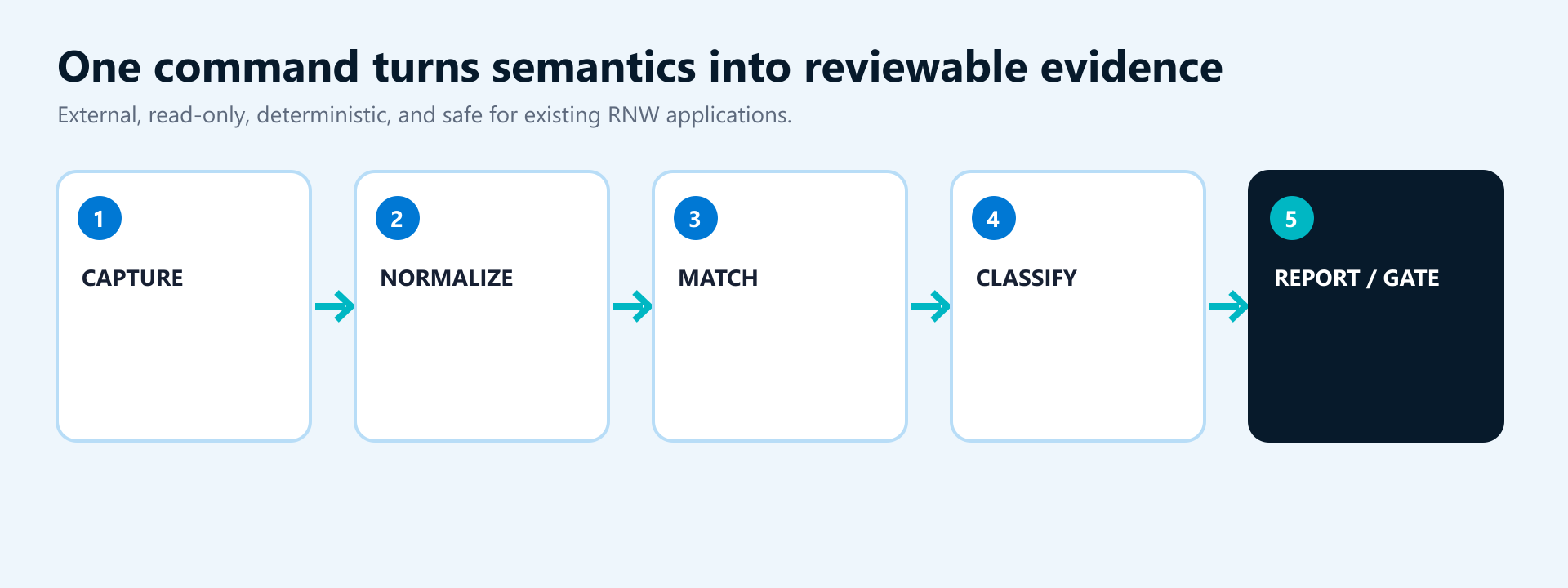
Read-only external tool · No app instrumentation · No RNW runtime changes
How engineers use it

Three commands turn an assumption into evidence.

Run locally, during code review, or as a CI quality gate.

1 · Capture beforernw-a11y capture --process RNTesterApp-Fabric --output before.json
2 · Capture afterrnw-a11y capture --process RNTesterApp-Fabric --output after.json
3 · Compare and gaternw-a11y diff before.json after.json --fail-on potential-regression

Exit code 1 makes the result actionable.

Where it helps

Find high-risk accessibility issues earlier.

Especially when visual review is not enough.

Fabric migrations

Verify semantic parity across architecture changes.

Native refactors

Catch changed controls, roles, providers, and hierarchy.

Accessibility fixes

Prove the fix without introducing collateral regressions.

Dependency upgrades

Compare RNW, React Native, and Windows SDK versions.

Release validation

Create repeatable semantic evidence across branches.

PR quality gates

Block lost names, controls, and keyboard focusability.

Technical depth

Designed for trustworthy diffs—not just tree dumps.

Hardened through repeated bug-focused review and live Windows validation.

Safe on large applications

Stops at configured limits before requesting more of the accessibility tree.

Accurate comparisons

Matches elements within the same parent to avoid cascades of false changes.

Honest about failures

Marks interrupted captures as incomplete instead of reporting a misleading clean result.

Protects application data

Excludes sensitive values and sanitizes application-controlled report text.

15 tests · 0 warnings · live capture/diff · 0 RNW runtime files changed
Working demo

A real regression in the React Native Gallery.

The embedded video uses the actual healthy and broken Gallery states and the real tool output.

Demo evidence

The screenshot stays the same. The semantics do not.

One shared renderer caused five invisible keyboard regressions.
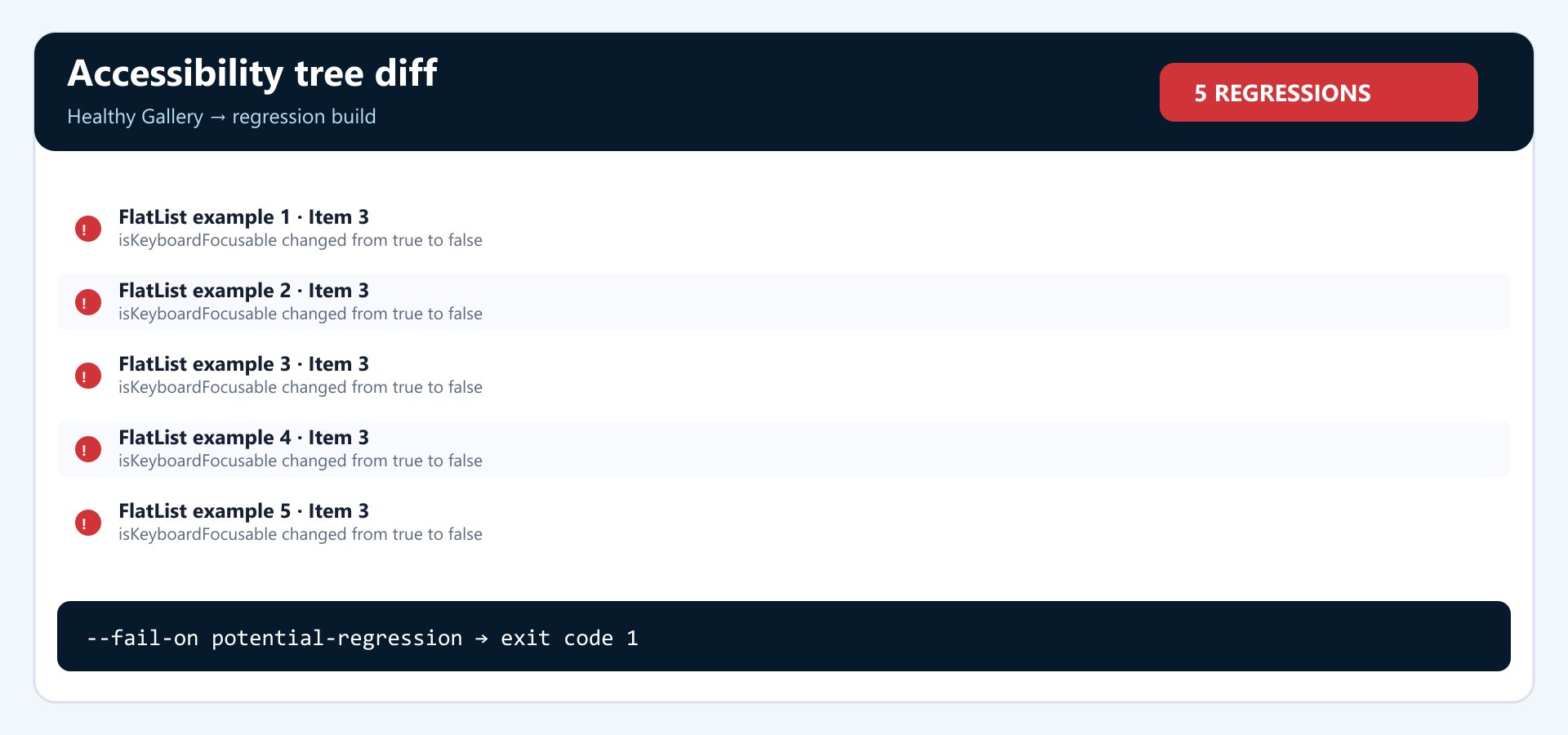
1 · Healthy baseline
2 · Visually identical regression
3 · Five issues caught
isKeyboardFocusable  true → false  ·  PotentialRegression  ·  exit code 1
Measured outcome

From FHL idea to release-ready implementation.

The complete capture, diff, reporting, and gate workflow works today.

15automated tests
0build warnings
5Gallery regressions caught
1CI-ready failing exit code

Low risk

Standalone and read-only.

Immediately useful

Gallery, RNTester, Playground, and desktop apps.

Built to extend

Reusable foundation for focus diagnostics.

Overall impact

Shift accessibility into normal engineering review.

The goal is fewer surprises when manual keyboard and Narrator validation runs.

Today

  1. Visual review passes
  2. Manual test happens late
  3. Regression becomes a bug
  4. Engineer reconstructs the cause

With this project

  1. Capture baseline with the PR
  2. Diff exposes semantic change
  3. CI blocks risky regression
  4. Reviewer gets exact evidence
Faster diagnosis · stronger PR evidence · safer framework evolution · fewer customer-found regressions
Where to find it

Assuming merge: part of the RNW developer toolchain.

The implementation branch is available today.

Repository pathpackages/@rnw-scripts/accessibility-diagnostics Run ityarn workspace @rnw-scripts/accessibility-diagnostics rnw-a11y … FHL implementationfhl/accessibility-tree-diff · 6909efe740
Top next steps

Turn the prototype into an everyday RNW quality gate.

These three extensions offer the clearest engineering and customer impact.

1 · Automatic PR checks

Run approved Gallery and RNTester scenarios in CI, post the diff on the pull request, and block new regressions.

2 · Keyboard focus recorder

Record focus movement and flag loops, unexpected jumps, missing labels, or focus landing on hidden content.

3 · Visual diff explorer

Highlight changes in a browser and manage approved baselines without reading raw JSON.

First milestone: automate one repeatable RNW Gallery scenario in CI.

Closing

Accessibility should not depend on someone noticing what cannot be seen.

Capture. Compare. Catch. Block.

Shift accessibility left.